
Tutorial: Redact a PDF Fetched Over HTTP
A complete, runnable n8n workflow that fetches a PDF over HTTP and redacts a face in it with the PDF Redaction node.
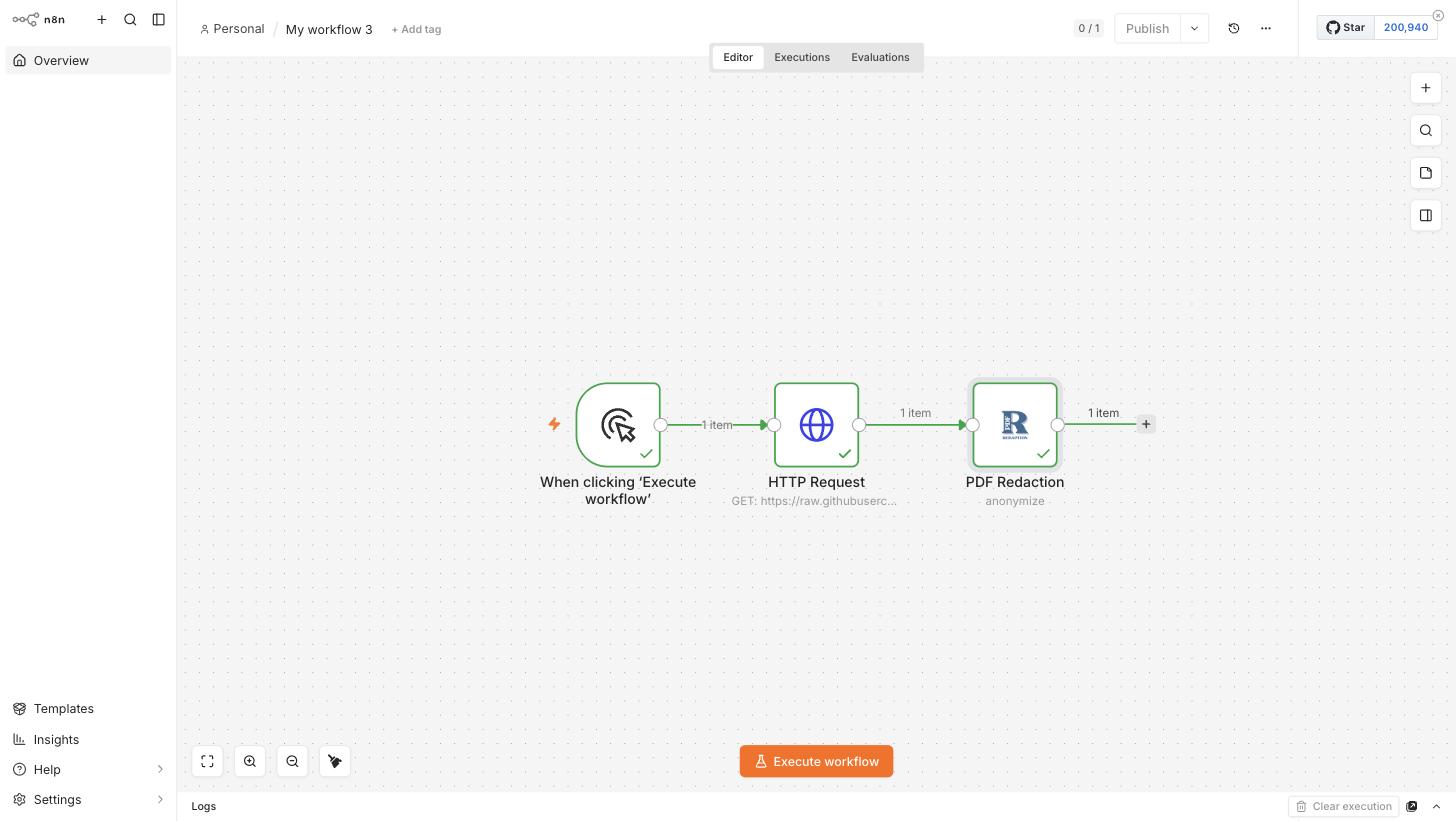
This tutorial builds a complete, runnable n8n workflow that:
- Fetches a real PDF over HTTP with the HTTP Request node.
- Redacts the faces in it with the PDF Redaction node.
- Shows the redacted file and detection results in the output panel.
It uses a public sample file from the pdf-redaction-api repository — SampleWithFace.pdf — so you can reproduce every step with no files of your own.
For the general setup/configuration walkthrough, see Setup & Configuration Tutorial first. This guide assumes the node is installed and you have a PDF Redaction API credential already.
1. Trigger + HTTP Request
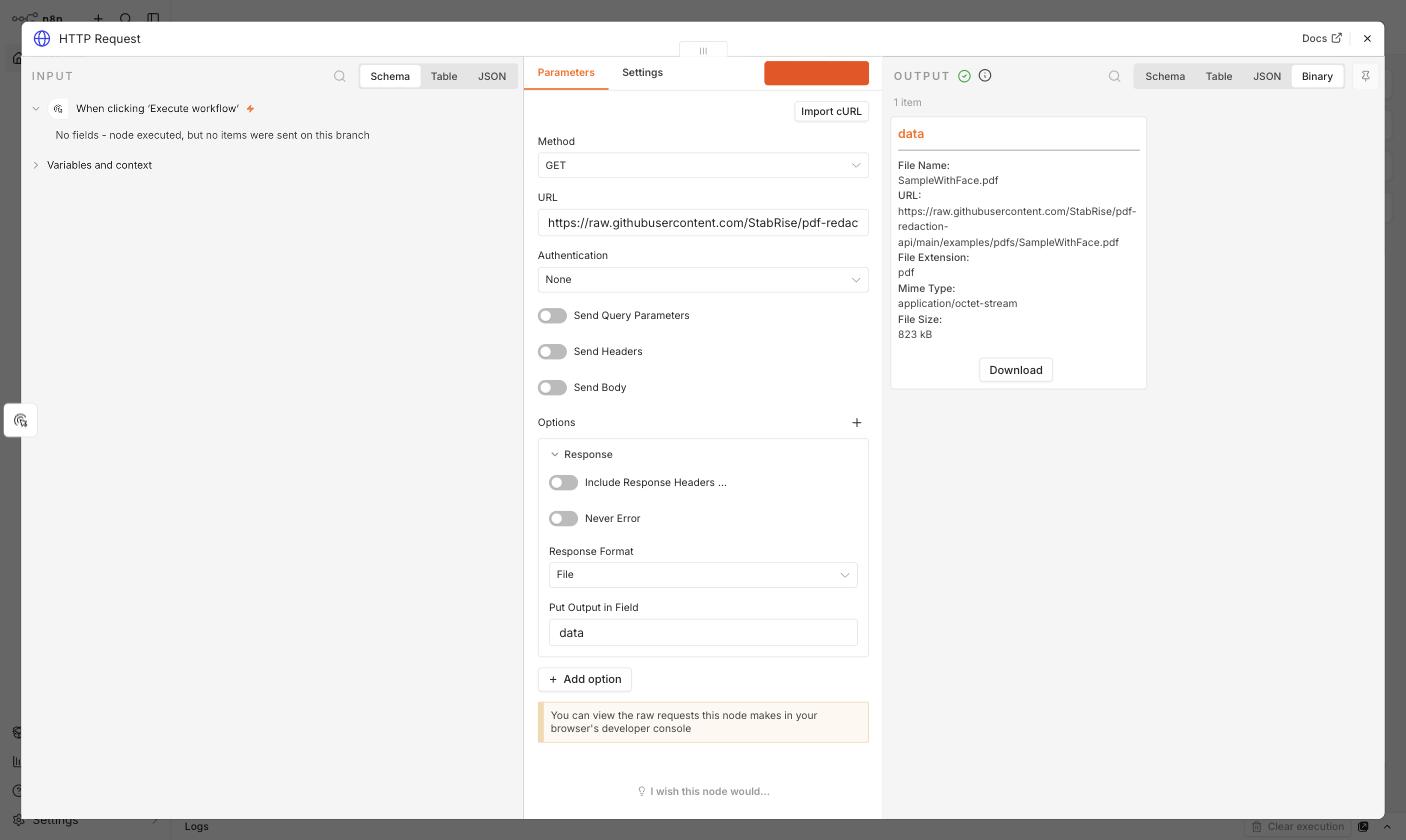
Start with a Manual Trigger, then add an HTTP Request node with:
- Method:
GET - URL:
https://raw.githubusercontent.com/StabRise/pdf-redaction-api/main/examples/pdfs/SampleWithFace.pdf - Options → Response → Response Format:
File
Execute the node. The response comes back as binary data in the data field:
2. PDF Redaction — Anonymize the "Face" tag
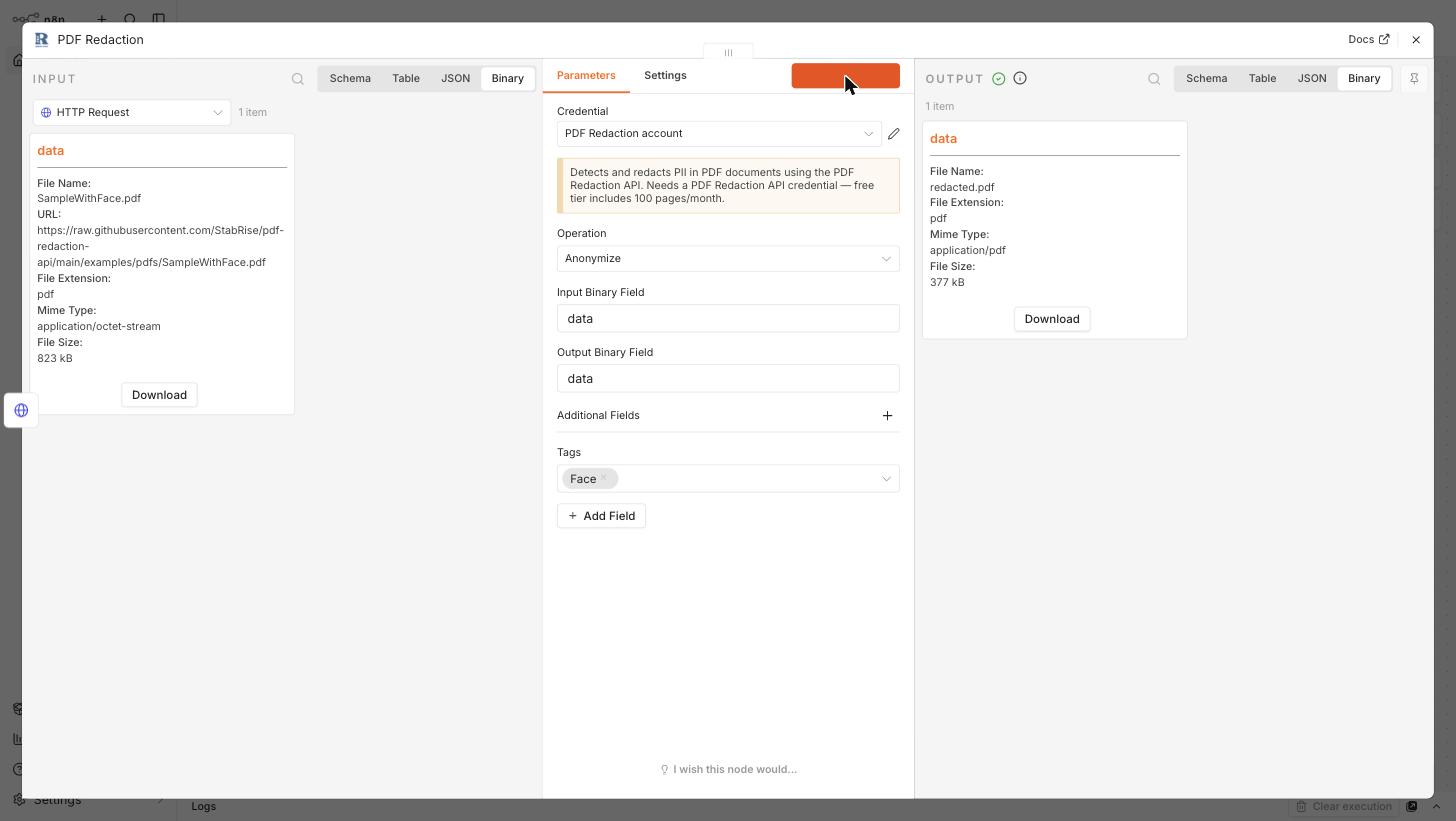
Add a PDF Redaction node after the HTTP Request node. It picks up the data binary field automatically (both Input Binary Field and Output Binary Field default to data, matching what HTTP Request produced).
Set:
- Credential: your PDF Redaction API credential
- Operation:
Anonymize - Additional Fields → Tags:
Face
3. Execute and inspect the output
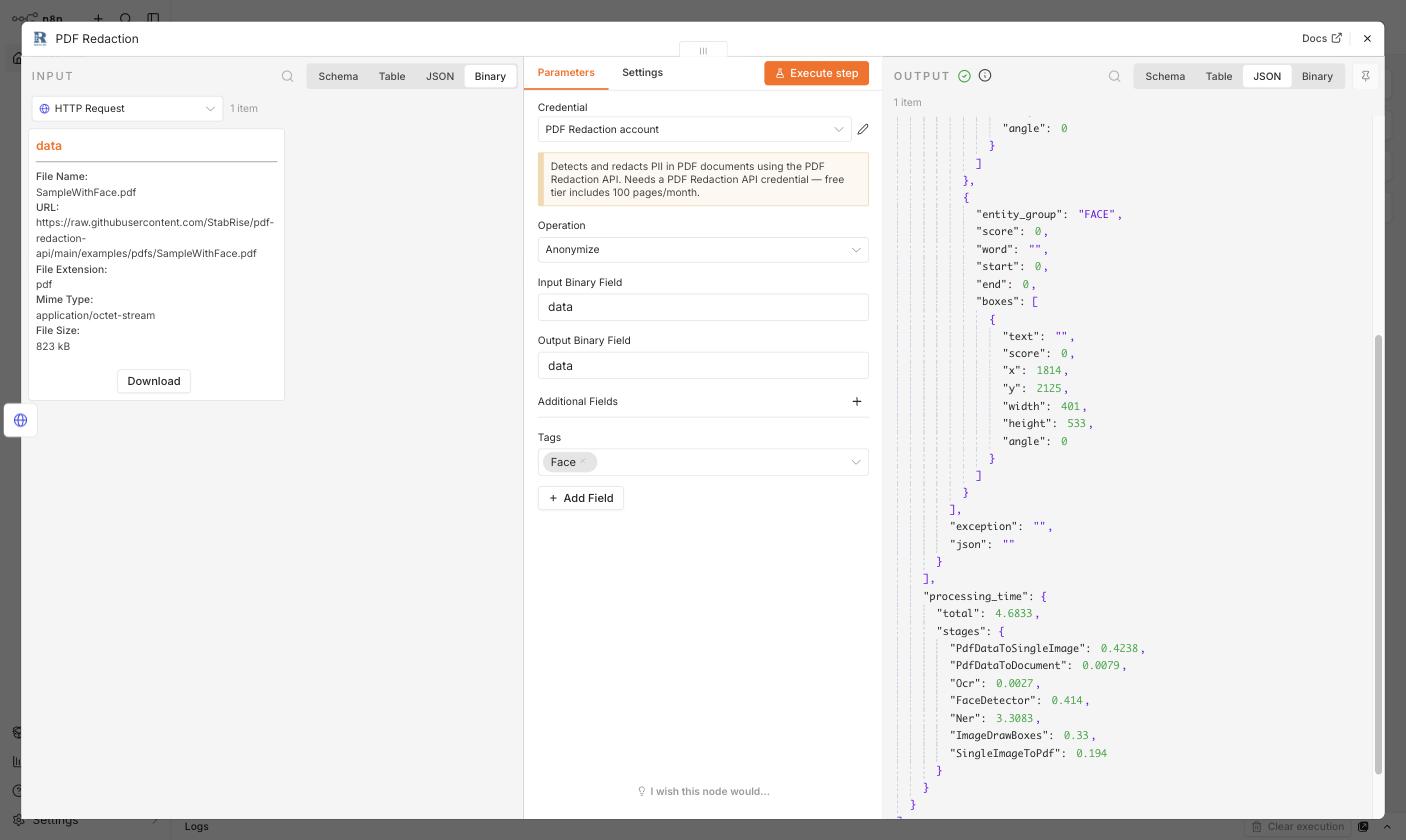
Click Execute step. The node calls the PDF Redaction API and returns:
- A redacted PDF (
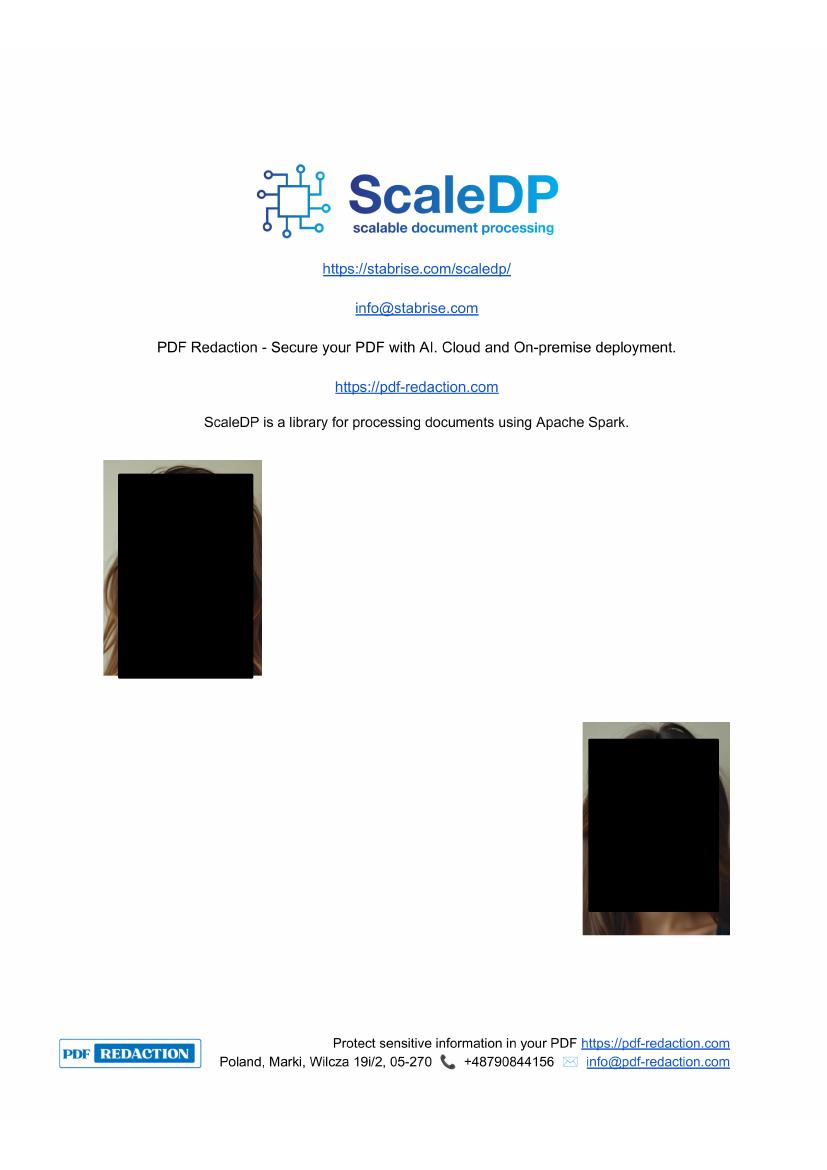
redacted.pdf) in the output binary field, with the face blacked out. - A JSON payload with
detected_pii(entities found, here twoFACEentries with bounding boxes) and aprocessing_timebreakdown per pipeline stage.
JSON output:
Binary output:
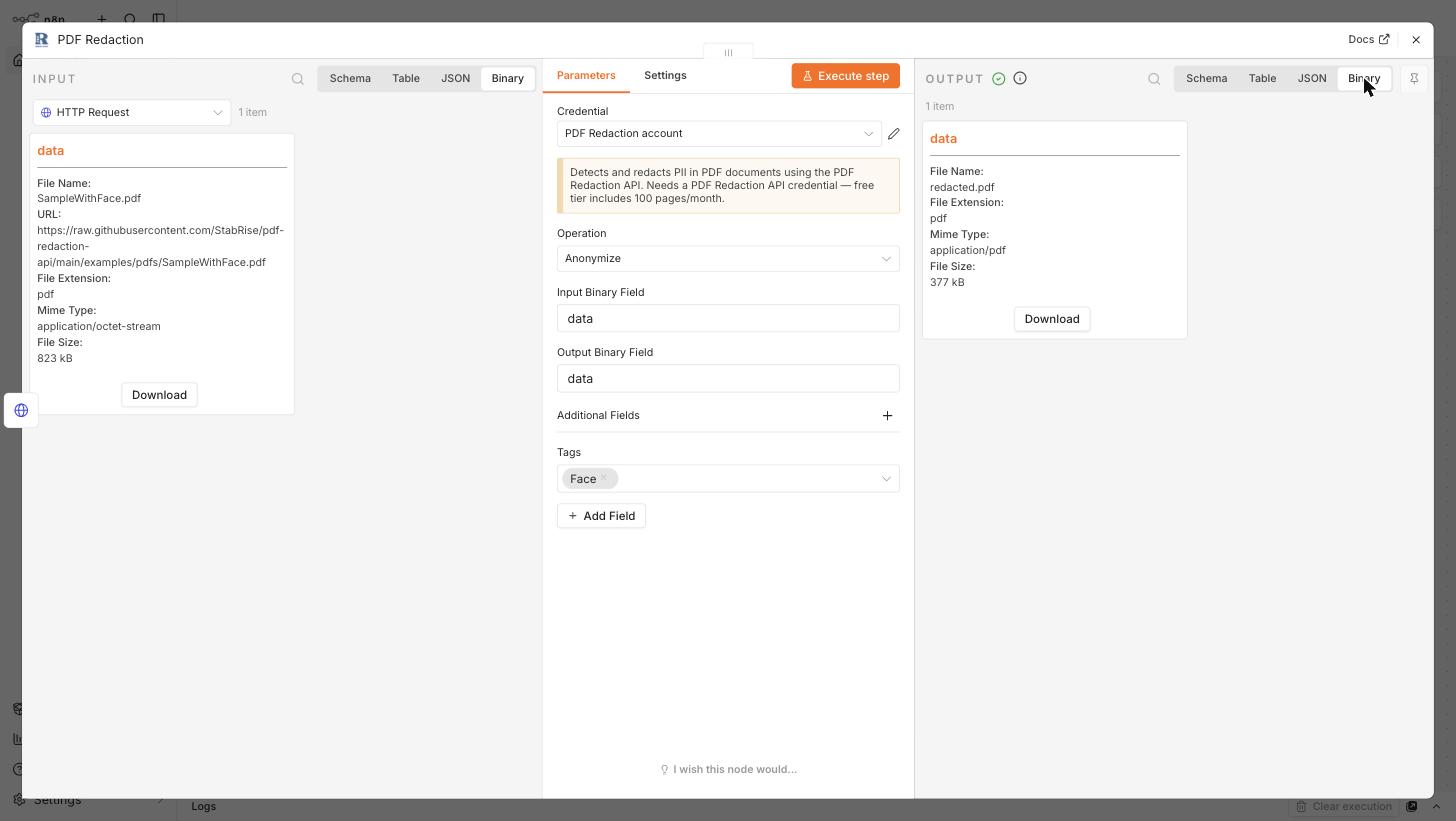
The original file was 823 kB; the redacted output is 377 kB, since the API flattens the processed page(s) to a compact PDF.
4. The processed PDF
Opening the downloaded redacted.pdf confirms both faces on the page are blacked out:
5. The complete workflow
All three nodes wired together, each showing a successful execution (green checkmarks):
Adapting this to your own files
Swap the HTTP Request node for whatever produces your PDF as binary data — a webhook payload, a Read/Write File from Disk node, an email attachment (via an email trigger), or a file from cloud storage (S3, Google Drive, etc.). As long as the upstream node writes binary data to a field, and the PDF Redaction node's Input Binary Field matches that field name, this same pattern applies.
Setup & Configuration Tutorial
Install the PDF Redaction n8n community node, create the API credential, and configure the Anonymize, Anonymize with Custom Prompt, and Detect PII operations.
Tutorial: Detect PII Without Redacting
Build an n8n workflow that scans a PDF for names, emails, and dates using the Detect PII operation, without modifying the document.