
PDF Redaction Online
User guide for the PDF Redaction Online editor: quick start, how detection works, editor tools, settings, account, billing, usage limits and troubleshooting.
Also available as:
Studio (Cloud)Studio (Self-Hosted)Studio DesktopCloud APISelf-Hosted APIPDF Redaction Libraryn8n IntegrationWidgetMCP ServerObsidian PluginGoogle Drive™ AppPDF Redaction Online is the browser editor at pdf-redaction.com/redaction. You open a PDF, the editor finds personal data with AI and pattern rules, you review the results, and you download a copy where the redacted text is really gone, not just hidden under a black box. Nothing to install: OCR, rendering and the final redacted file are all produced in your browser.
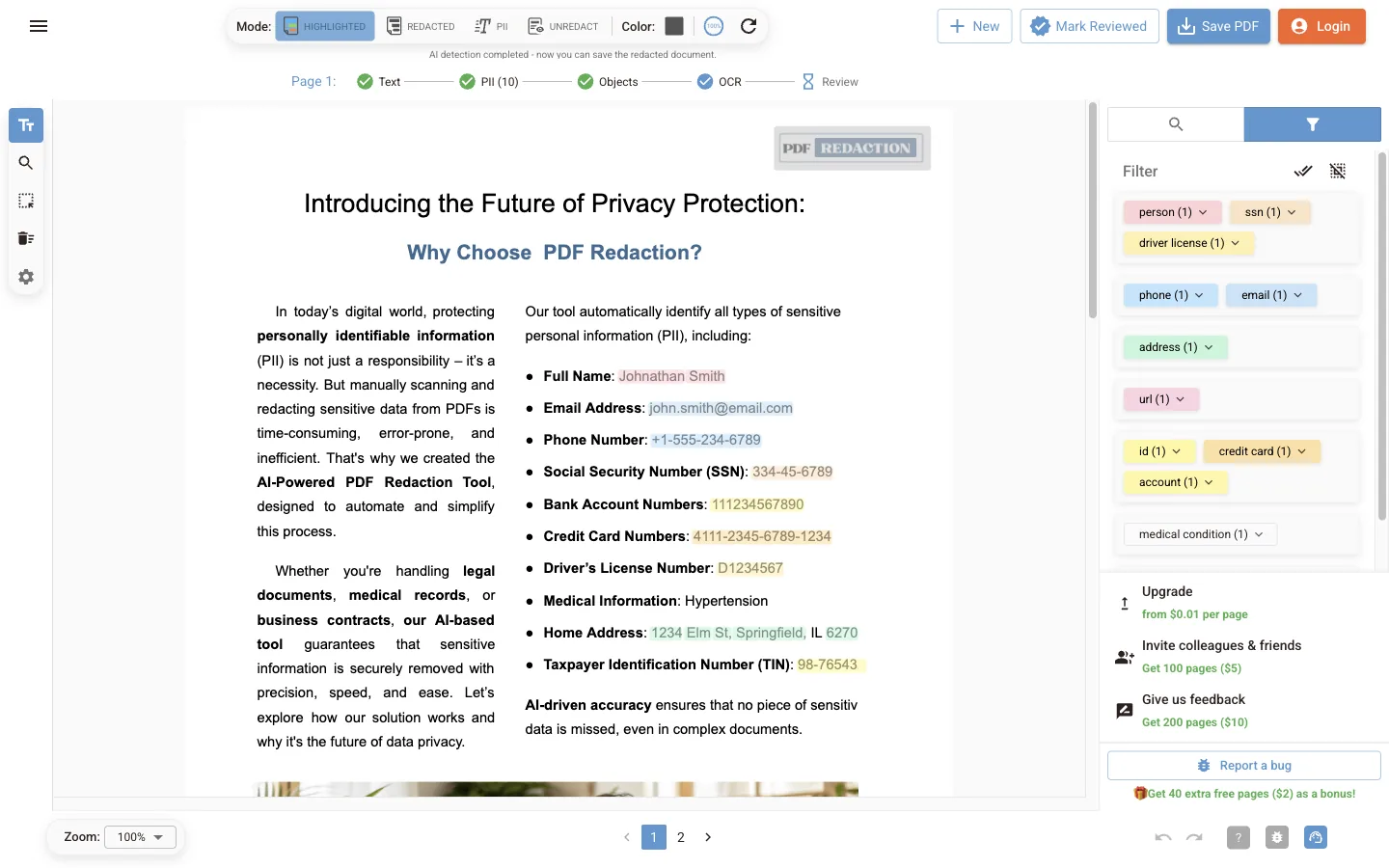
What you can do without an account, and with one
| Without an account | Free account | Paid plan | |
|---|---|---|---|
| Open and scan a PDF | First 10 pages, files up to 5 MB | Up to 25 pages and 25 MB per document | Up to 100 pages and 50 MB per document |
| Review and edit redactions | Yes | Yes | Yes |
| Download the redacted PDF | Sample document only | Yes | Yes |
| Monthly pages | — | 100 pages per month | Depends on the plan, see Pricing |
| Local AI models | Public models only | All models | All models |
Downloading your redacted file needs a free account. See Usage and limits for how pages are counted.
Getting started
Quick start
Redact your first document in six steps, from opening the file to saving the result.
How it works
What happens to your PDF from text extraction to the final, flattened output.
Open and download files
Drag and drop, Google Drive, Dropbox, password-protected PDFs and saving the result.
Using the editor
The editor is shared with Redaction Studio and Studio Desktop, so its guide lives in the Redaction Editor section.
Editor interface
View modes, tools, toolbar buttons and keyboard shortcuts.
Review and edit redactions
PII filter, findings table, manual text selection and drawn boxes.
Check for hidden text
Use Unredact mode to find text left under boxes in a PDF someone else redacted.
Settings
Detection settings
Cloud PII, Local NER, rule-based patterns, faces and signatures.
OCR settings
Scanned pages, text inside pictures, OCR languages and CPU threads.
Account and billing
One account and plan cover every PDF Redaction product, see Account & Billing.
Account and workspaces
Sign-in options, profile, notifications, workspaces, projects and documents.
Plans and billing
Change plan, payment methods, invoices, credits and cancelling.
Usage and limits
What counts as a page, monthly periods and per-document limits.
Help
Quick Start
Quick start for the PDF Redaction docs. Compare the browser tool, Studio, REST API and SDKs, and pick the deployment option that fits, from web to on-premise.
Quick start
Get started with the PDF Redaction Online editor: open a PDF, let AI find personal data, review the highlights, preview the result and save the redacted file.