
Obsidian
Redact PDFs from inside Obsidian using the PDF Redaction plugin — AI-detected PII, manual review, and redaction, without leaving your vault.
Also available as:
Online ToolStudio (Cloud)Studio (Self-Hosted)Studio DesktopCloud APISelf-Hosted APIPDF Redaction Libraryn8n IntegrationWidgetMCP ServerThe PDF Redaction plugin for Obsidian hosts the PDF Redaction widget in a workspace tab, so you can redact any PDF in your vault — right-click a file, review AI-detected PII, and save the redacted copy back into your vault — without leaving Obsidian.
View on GitHub
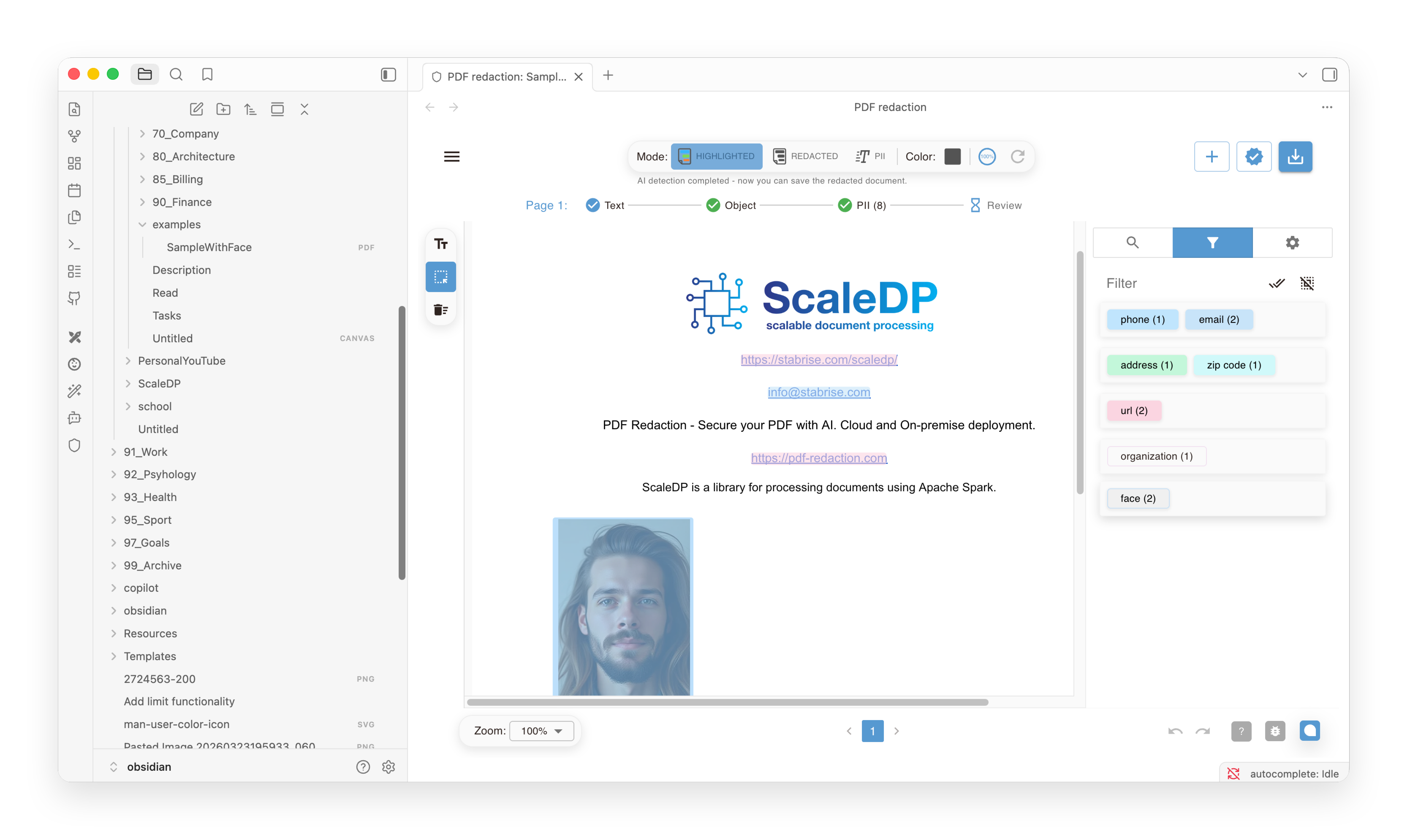
Early prototype
Not yet listed in the Obsidian community plugin store — install manually from a GitHub release. Desktop only.
Installation
- Download
main.js,styles.css, andmanifest.jsonfrom the latest release. - Copy them into
VaultFolder/.obsidian/plugins/pdf-redaction/(create the folder if it doesn't exist). - In Obsidian, go to Settings → Community plugins and enable PDF Redaction.
Setup
Open Settings → PDF Redaction and configure:
- API key — a widget-enabled API key from your PDF Redaction account (Account → API keys).
- Base URL — defaults to
https://pdf-redaction.com. - Mode —
full(manual PII review before redacting) orauto(one-click redact + download). - Locale — UI language for the embedded widget (
en,de,pl,es).
Usage
- Redact a vault PDF — right-click any
.pdffile in the file explorer and choose Redact with PDF redaction, or run the Redact active PDF command while a PDF is open. This opens a "PDF redaction" tab pre-loaded with the file — no manual upload needed. - Open an empty tab — use the ribbon icon or the Open view command to open the widget without a file, falling back to its normal upload dialog.
When redaction finishes, the plugin writes the redacted PDF back into your vault next to the source file as redacted-<name>.pdf (auto-numbered if that name is already taken) — no browser download, and the file never leaves your device except for the PII-detection call to pdf-redaction.com.
How it works
The plugin embeds the same https://<base url>/<locale>/widget/embed/?key=... iframe used by widget.js and @stabrise/redaction-widget-react, extended with two vault-aware protocol messages:
LOAD_FILE(plugin → iframe) — sends the source PDF's bytes (read viaapp.vault.readBinary), so the embed skips its own upload dialog.REDACTION_COMPLETE.data(iframe → plugin) — returns the redacted PDF's bytes instead of triggering a browser download, whenever the source file arrived viaLOAD_FILE.
Source
Source code is available on GitHub under the MIT license.