
Quick start
Get started with the PDF Redaction Online editor: open a PDF, let AI find personal data, review the highlights, preview the result and save the redacted file.
This guide walks you through one document in the online editor, from opening the file to saving the redacted copy. It takes about three minutes. If you want a comparison of redaction methods and tools rather than a tour of this editor, read How to redact a PDF.
Before you start
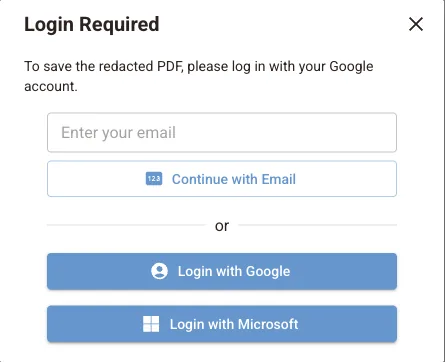
You can open, scan and edit a PDF without an account. To download the redacted file you need a free account: sign in with Google, Microsoft or an email link when the editor asks. The built-in sample document can be downloaded without signing in.
Open the editor and your PDF
Go to pdf-redaction.com/redaction and click New. Drag your PDF onto the drop area or click it to choose a file. You can also open a file from Google Drive or Dropbox, or click load a sample PDF document to try the editor with test data.
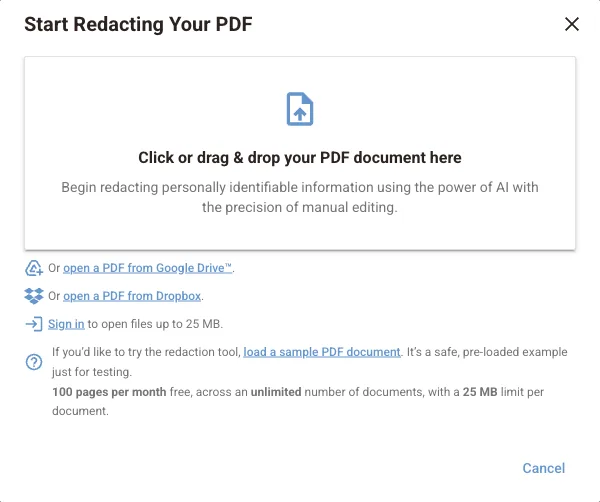
Wait for detection to finish
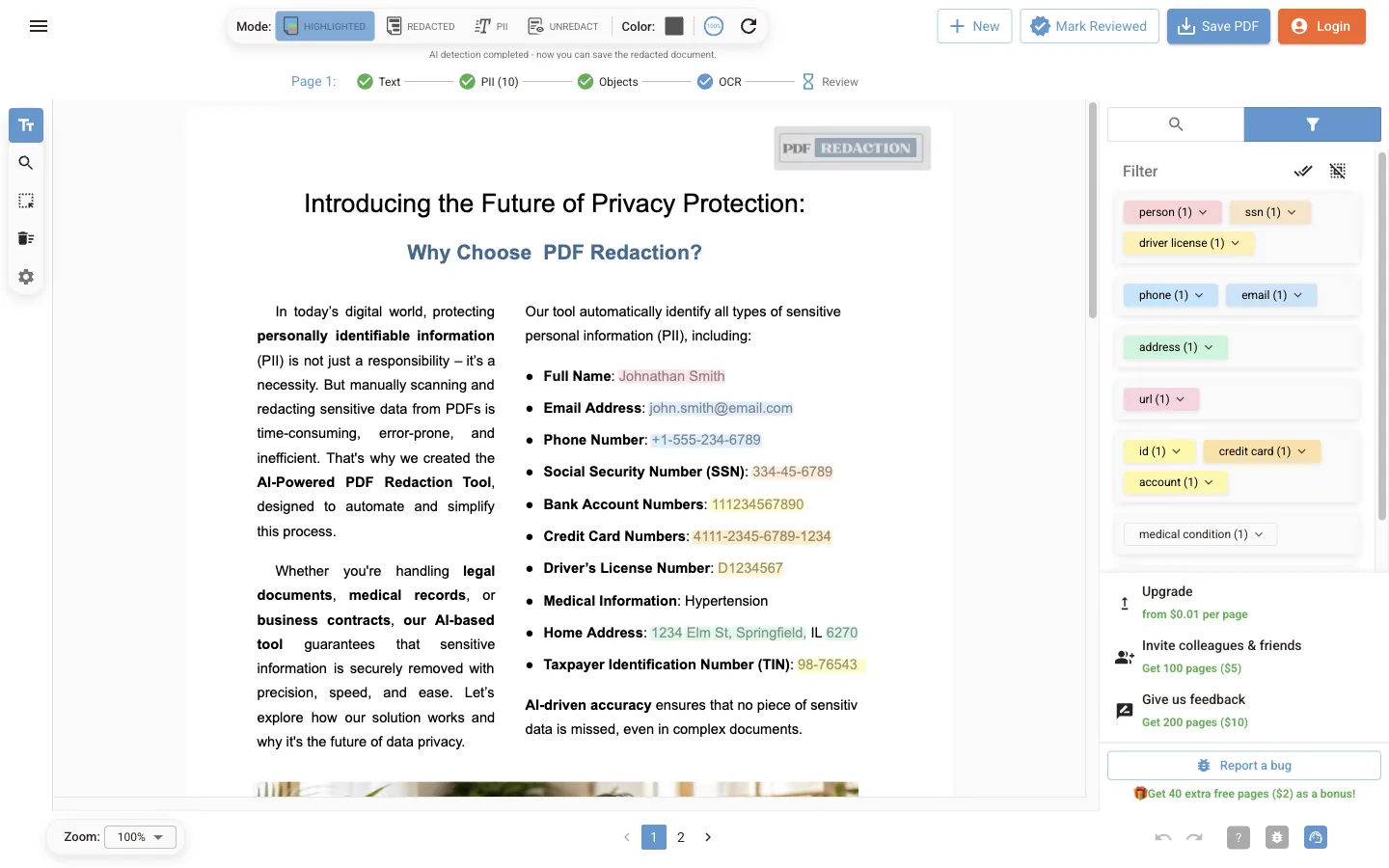
The editor reads each page's text and runs OCR on pages that are scanned images. It then detects personal data and looks for faces. The status line under the toolbar shows each stage for the current page: Text, PII, Objects, OCR and Review. When it says AI detection completed, every page has been scanned.
Review what was found
In Highlighted mode every finding is coloured by type. The PII Filter on the right groups the findings: person, phone, email, address, ID, credit card and more. Click a type to turn it on or off, or open its list with the arrow to remove a single item.
Add anything the AI missed
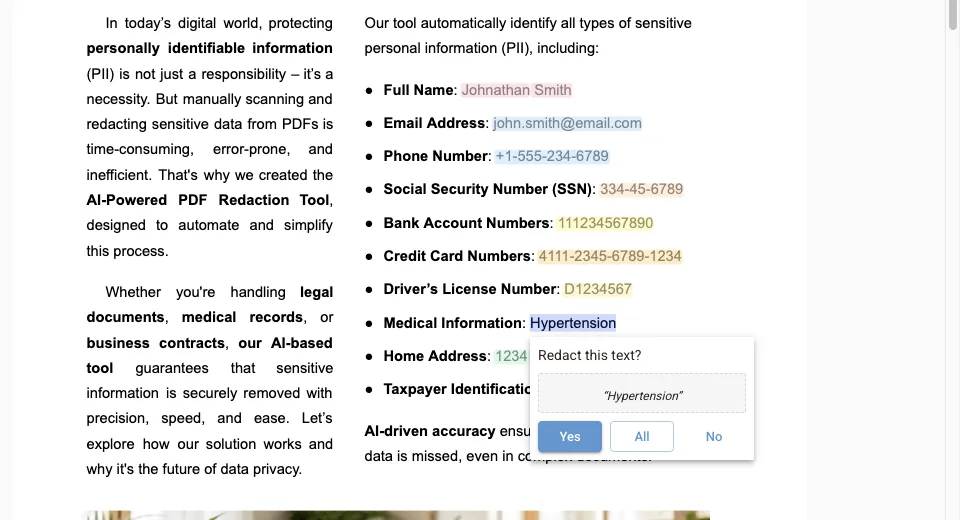
Select text on the page with the Redact Text tool and confirm Redact this text? with Yes, or with All to redact every occurrence in the document. Use Draw or Edit Boxes to cover pictures, signatures or any area. More options are in Review and edit redactions.
Preview the result
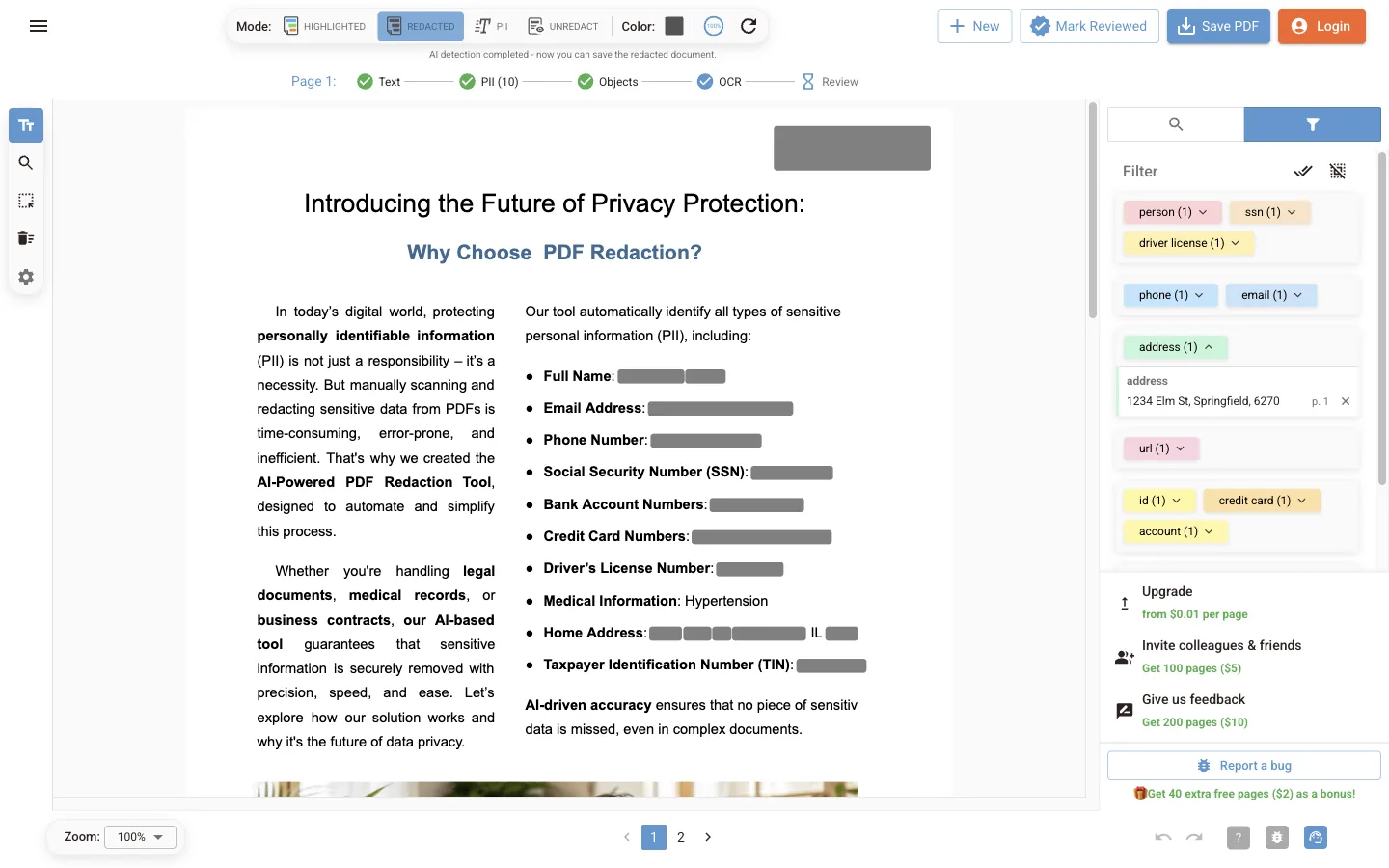
Switch the mode to Redacted to see exactly what the saved file will look like. Every enabled finding and every box is shown as a solid bar.
Save the redacted PDF
Click Save PDF. If you are not signed in, the Login Required dialog asks you to sign in first. The file is saved as redacted-<original name>.pdf. The covered text is removed from the file, not hidden, so it cannot be copied or searched.
Next steps
PDF Redaction Online
User guide for the PDF Redaction Online editor: quick start, how detection works, editor tools, settings, account, billing, usage limits and troubleshooting.
How it works
How the online editor processes a PDF: text extraction and OCR, Cloud, Local or rule-based detection, review, and an export that removes covered text.