
Open and download files
Ways to open a PDF in the online editor (drag and drop, Google Drive, Dropbox, sample file), unlock password-protected PDFs and save the redacted result.
Open a PDF
Click New in the top bar to open the Start Redacting Your PDF dialog. The editor accepts PDF files only.
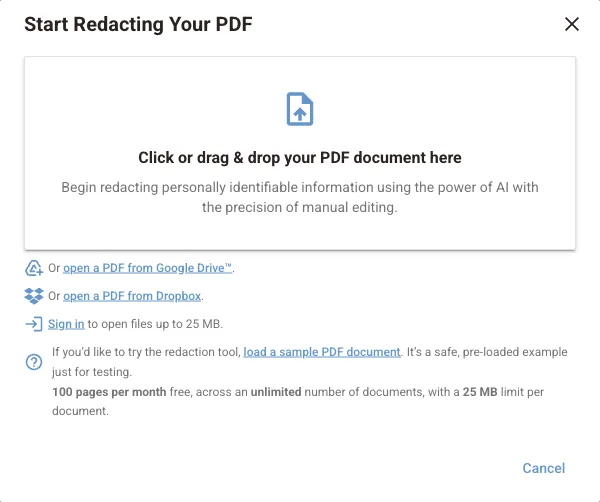
| Option | How |
|---|---|
| From your computer | Drag the file onto the drop area, or click it to choose a file |
| Google Drive | Click open a PDF from Google Drive and pick a file. See Google Drive integration |
| Dropbox | Click open a PDF from Dropbox and pick a file |
| Sample document | Click load a sample PDF document to try the editor with made-up personal data |
Size and page limits depend on whether you are signed in:
| Without an account | Free account | Paid plan | |
|---|---|---|---|
| Maximum file size | 5 MB | 25 MB | 50 MB |
| Pages scanned per document | First 10 | 25 | 100 |
Pages beyond the limit are not scanned and are left out of the saved file. Split longer documents or upgrade, see Usage and limits.
The editor works on one document at a time. Opening a new file replaces the current one, so save your work first.
Password-protected PDFs
If a PDF is encrypted, the editor asks for its password. The password unlocks the file in your browser only. It is not stored and not sent to the server. The saved redacted file has no password.
Open the editor in a specific mode
You can link straight to a mode. For example, /redaction/?mode=unredact opens the editor in Unredact mode, which is useful for checking a file someone sent you. See Check for hidden text.
Download the redacted PDF
- Preview the result in Redacted mode.
- Click Save PDF in the top bar.
- If you are not signed in, choose a sign-in method in the Login Required dialog, then click Save PDF again.
- The browser saves
redacted-<original name>.pdfto your downloads folder.
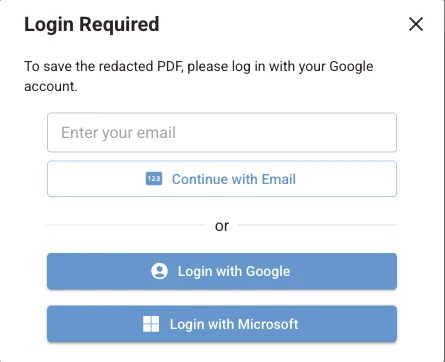
The built-in sample document can be downloaded without signing in, so you can check the output first.
What the saved file contains
Each page is a flattened image with the boxes burned in, plus a searchable text layer without the covered words. Pages are A4 portrait. Metadata, annotations and form fields from the original are not carried over. See How it works.
Next steps
How it works
How the online editor processes a PDF: text extraction and OCR, Cloud, Local or rule-based detection, review, and an export that removes covered text.
Privacy and data handling
What the online editor sends and stores: your PDF stays in the browser, Cloud PII sends page text only, Local NER sends nothing, and what is kept for your account.